
grammars-v4
antlr4官方仓库:https://github.com/antlr/antlr4
-
grammars-v4:这是一个开源项目,提供了多种语言的语法文件,包括 SQL 方言(如 MySQL、PL/SQL、T-SQL 等)。开发者可以直接使用这些语法文件,或者在此基础上进行扩展。
-
- 项目地址:https://github.com/antlr/grammars-v4
本章节源码
当前文档配套相关源码地址:
- gitee:https://gitee.com/changluJava/demo-exer/tree/master/java-sqlparser/demo-Antlr/demo-Antlr4-grammars-v4
- github:https://github.com/changluya/Java-Demos/tree/master/java-sqlparser/demo-Antlr/demo-Antlr4-grammars-v4
快速集成
前置条件
jdk11,当前的java环境变量要配置为jdk11,否则后续去编译生成的java代码会失败。
1、配置pom依赖
<properties>
    <maven.compiler.source>11</maven.compiler.source>
    <maven.compiler.target>11</maven.compiler.target>
    <project.build.sourceEncoding>UTF-8</project.build.sourceEncoding>
    <antlr.version>4.13.2</antlr.version>
</properties>


<dependencies>
    <dependency>
        <groupId>org.antlr</groupId>
        <artifactId>antlr4-runtime</artifactId>
        <version>${antlr.version}</version>
    </dependency>
</dependencies>

<build>
    <plugins>
        <plugin>
            <groupId>org.antlr</groupId>
            <artifactId>antlr4-maven-plugin</artifactId>
            <version>${antlr.version}</version>
            <executions>
                <execution>
                    <id>antlr</id>
                    <goals>
                        <goal>antlr4</goal>
                    </goals>
                    <phase>generate-sources</phase>
                </execution>
            </executions>
            <configuration>
                <sourceDirectory>${basedir}/src/main/resources/mysql</sourceDirectory>
                <includes>
                    <!--                        <include> .g4</include>-->
                    <include>MySQLLexer.g4</include>
                    <include>MySQLParser.g4</include>
                </includes>
                <outputDirectory>${basedir}/src/main/java/com/changlu/grammer/mysql</outputDirectory>
                <listener>true</listener>
                <visitor>true</visitor>
                <treatWarningsAsErrors>true</treatWarningsAsErrors>
            </configuration>
        </plugin>
    </plugins>
</build>
2、选择grammer语法文件
仓库:https://github.com/antlr/grammars-v4
选择你指定的grammer文件:
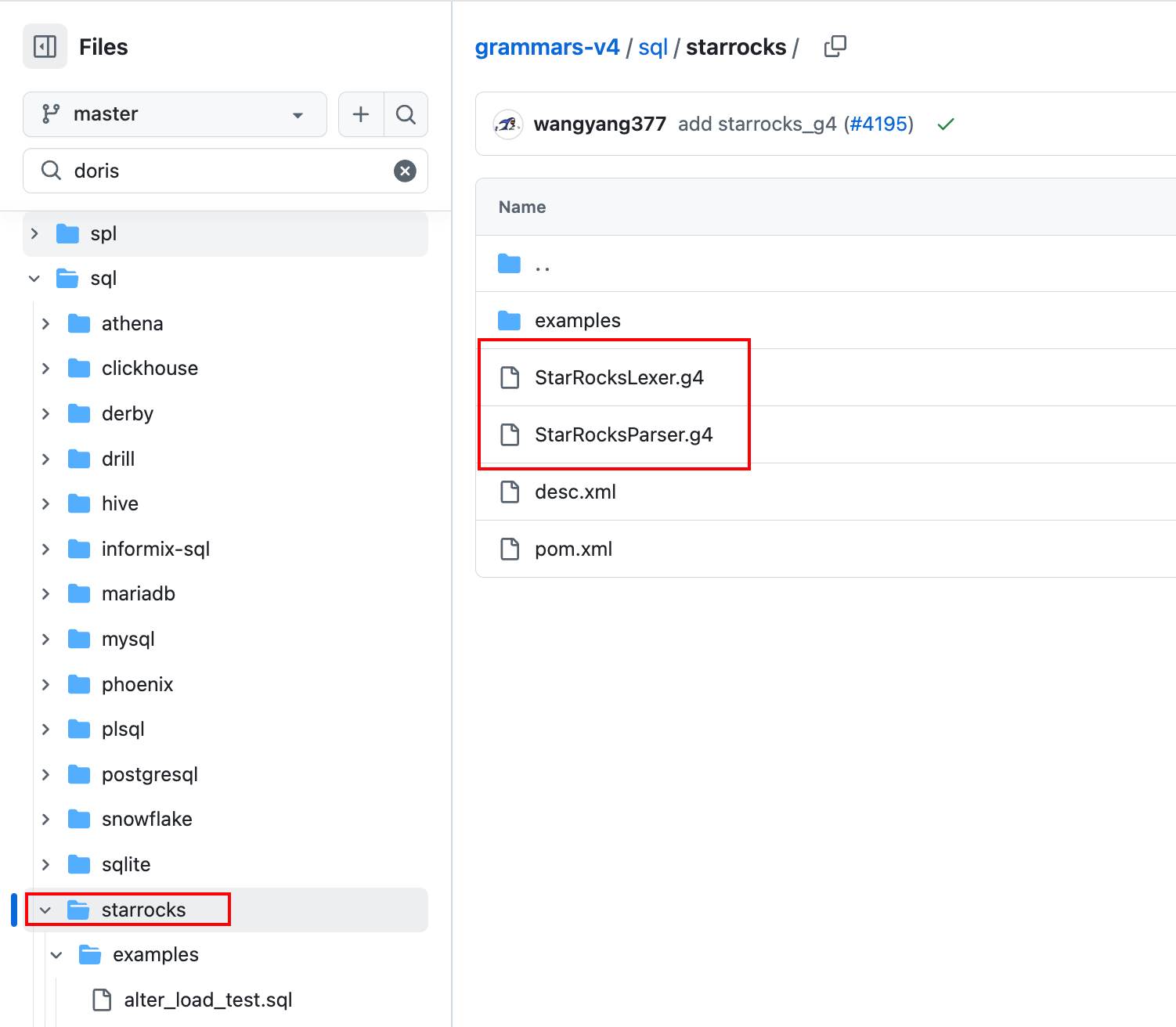
放置到这个目录下:
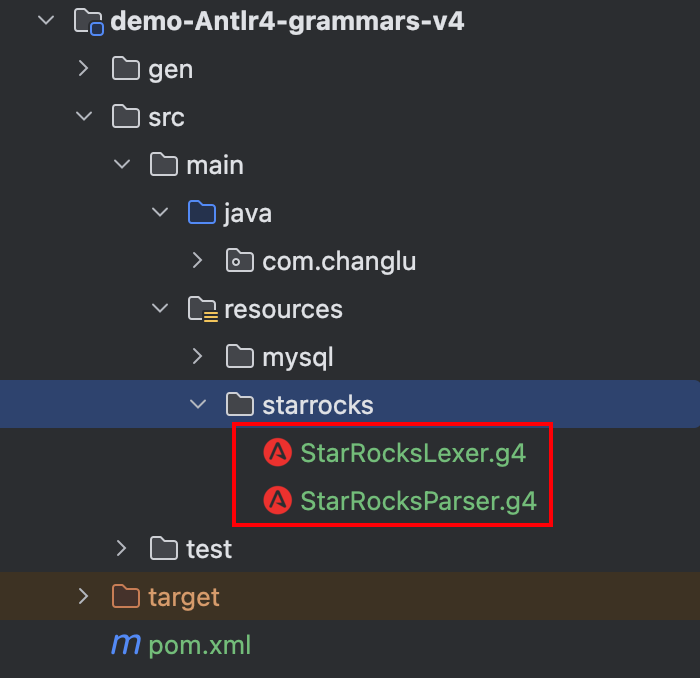
说明:当我们把语法文件配置好了之后,应当去pom依赖中配置插件信息,指定语法文件路径。
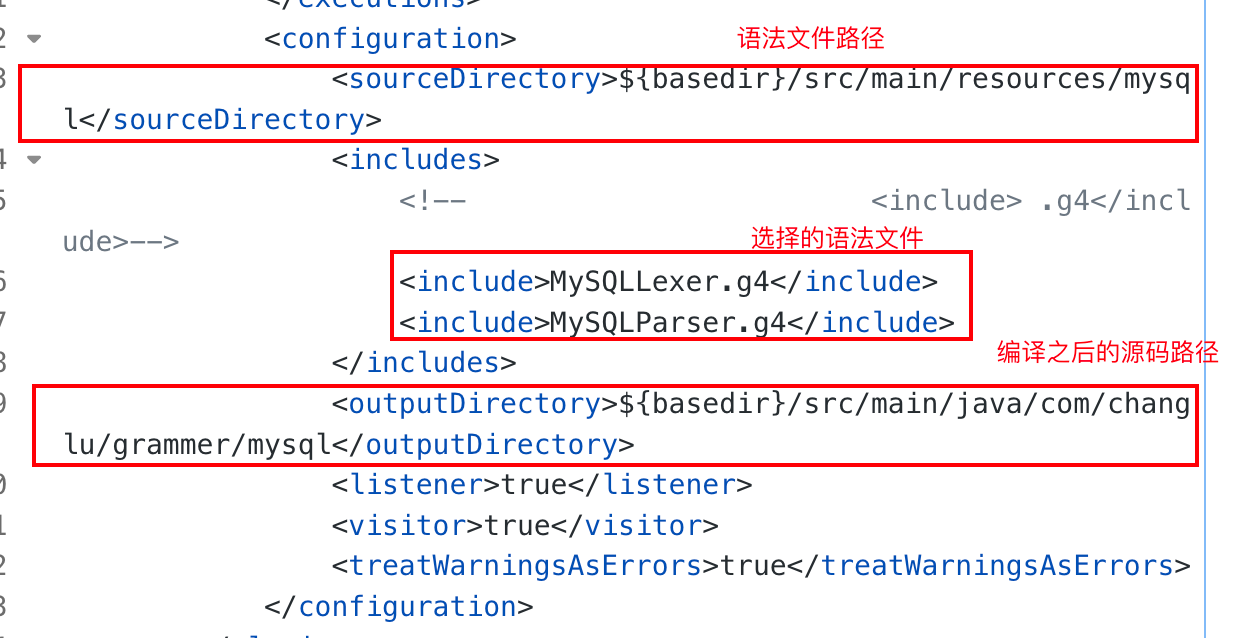
分别对应如下:
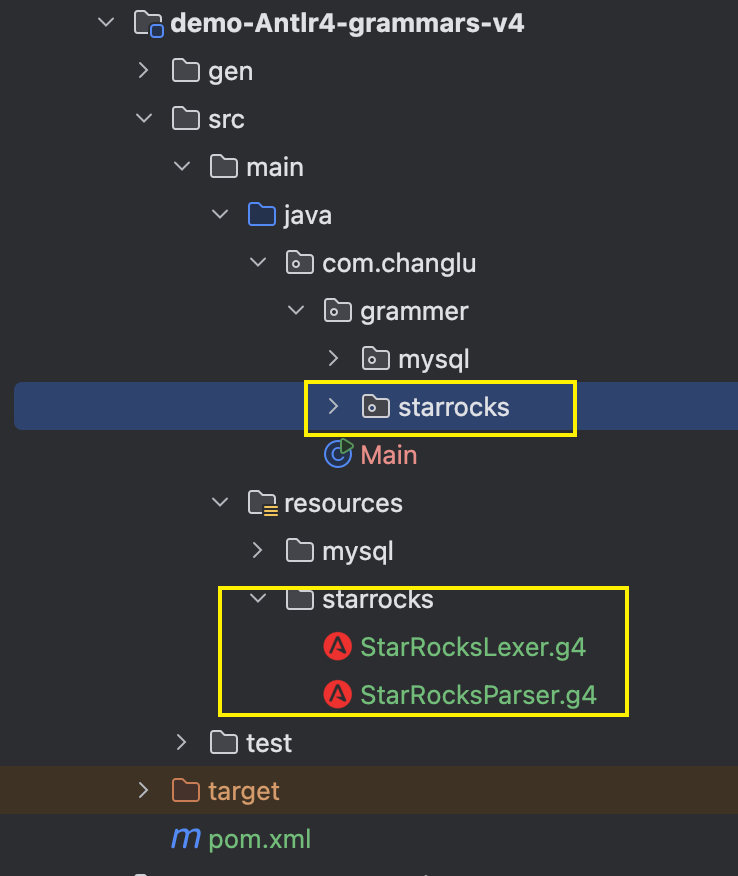
3、执行编译打包命令
mvn antlr4:antlr4
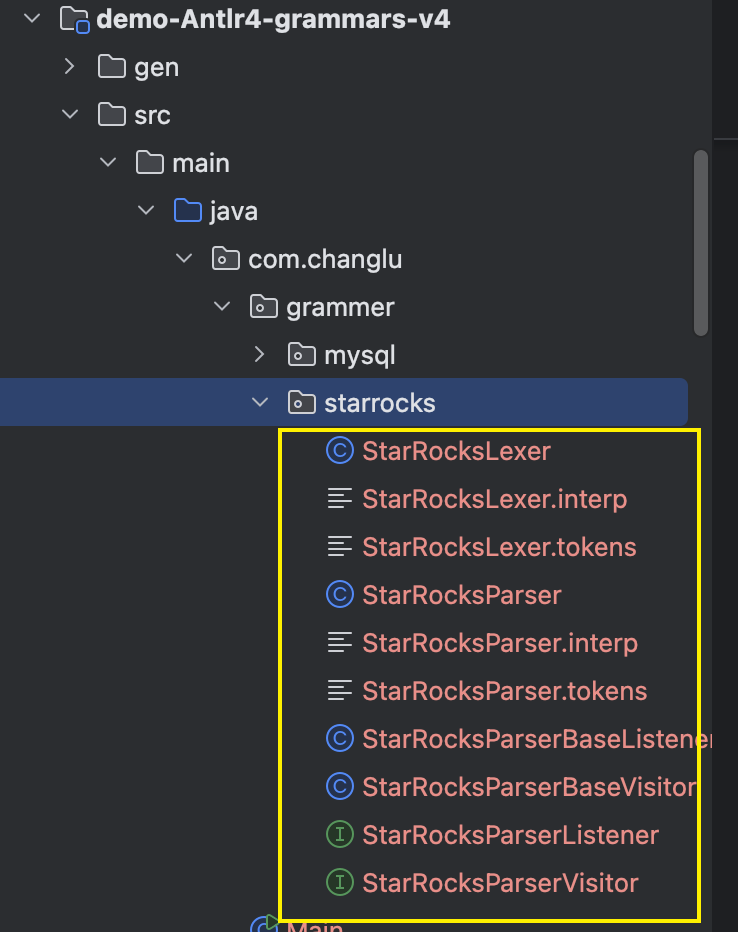
成功后即可拿到编译之后的文件代码:
编写单测
使用相应的Parser解析如下:
package com.changlu;

import com.changlu.grammer.starrocks.StarRocksLexer;
import com.changlu.grammer.starrocks.StarRocksParser;
import org.antlr.v4.runtime.CharStreams;
import org.antlr.v4.runtime.CodePointCharStream;
import org.antlr.v4.runtime.CommonTokenStream;
//TIP To <b>Run</b> code, press <shortcut actionId="Run"/> or
// click the <icon src="AllIcons.Actions.Execute"/> icon in the gutter.
public class Main {
    public static void main(String[] args) {
        String expr = "select * from changlu";
        // 1、将字符串转换成流
        CodePointCharStream stream = CharStreams.fromString(expr);
        // 2、实例化词法分析器 进行词法分析
        // 词法分析器初始化
        StarRocksLexer lexer = new StarRocksLexer(stream);
        // 词法分析
        CommonTokenStream tokens = new CommonTokenStream(lexer);
        // 3、实例化语法分析器
        StarRocksParser parser = new StarRocksParser(tokens);
        // 语法分析并转为抽象语法树
        StarRocksParser.SqlStatementsContext sqlStatementsContext = parser.sqlStatements();
        System.out.println(sqlStatementsContext);
    }
}
此时对sql解析到的内容都维护在这个SqlStatementsContext中。
对于这里我们解析方法是sqlStatements,每一个parser解析文件中定义的名字都不一样。
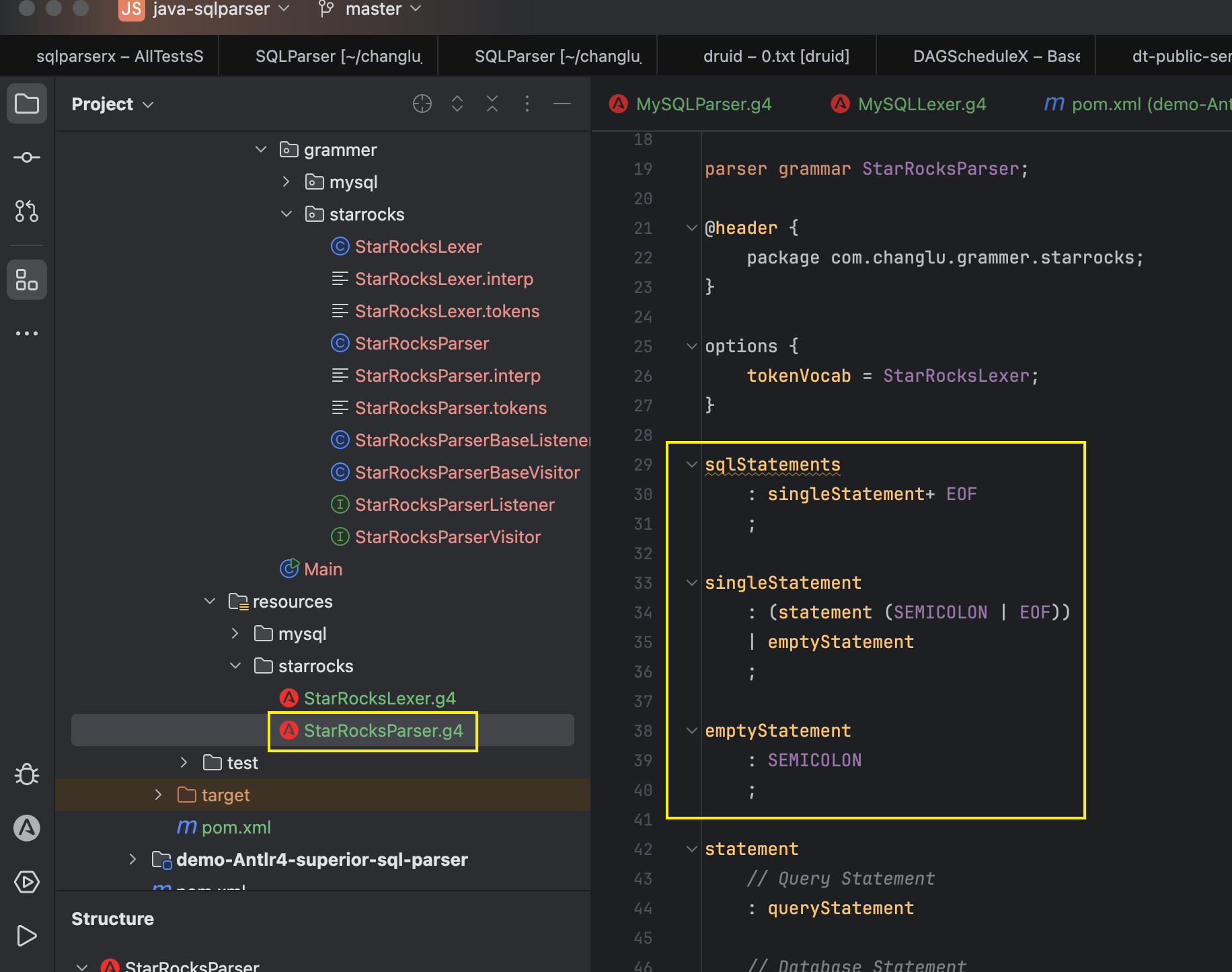
一般解析方法都是根据parser中的名字来命名的,对于每一种sql解析到的statement类名字也是如此命名:
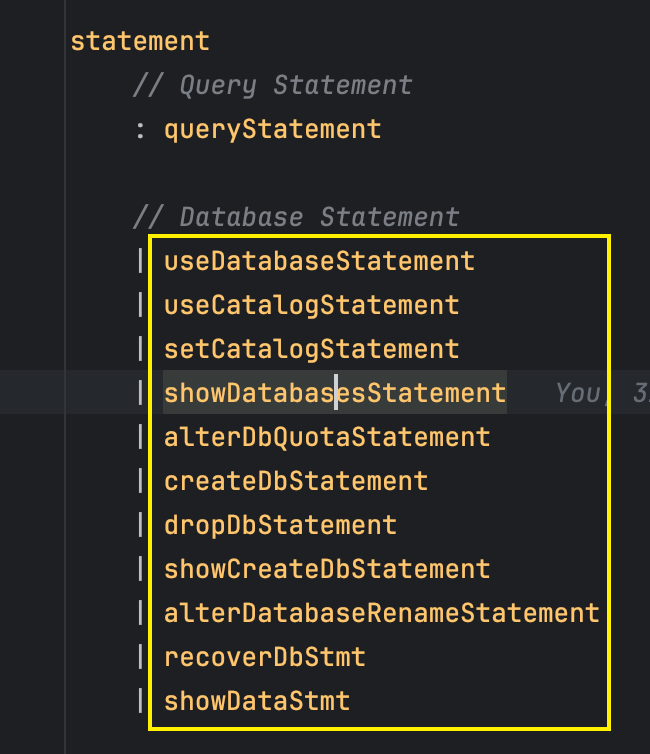
解析得到的每一个都叫做全名Context,来进行识别。
整理者:长路 时间:2025.4.24
评论区请在客户端页面查看